
CCTV for schools: the complete UK compliance guide

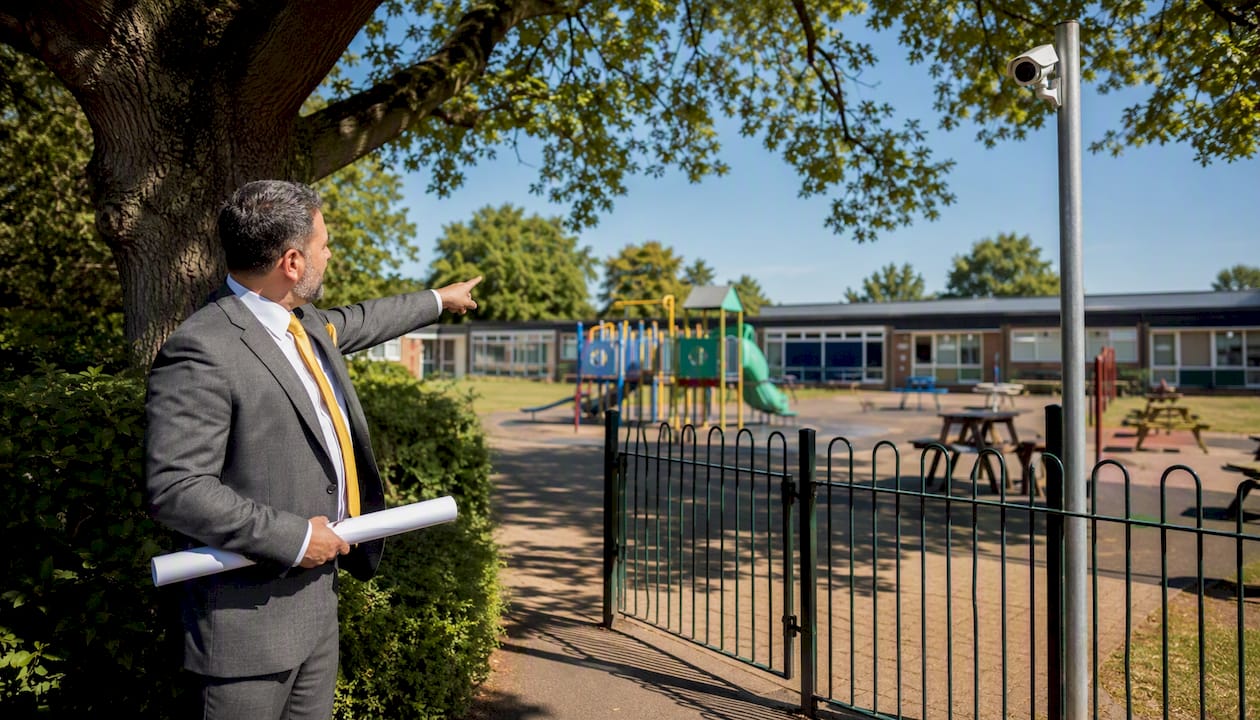
Schools in England may use CCTV where it is lawful, necessary, and proportionate — but getting that balance right demands more than pointing a camera at a corridor. Before a single cable is run, you need a documented lawful basis, a completed Data Protection Impact Assessment (DPIA) where required, and a published CCTV policy that staff, parents, and pupils can actually read.
Your immediate legal and operational checklist:
Identify a lawful basis. For most schools, this will be public task (under Article 6(1)(e) of the UK GDPR) or legitimate interests — not consent, which is almost always impractical and unsuitable for routine surveillance.
Check whether a DPIA is required. Any new system, significant change to coverage, or use of analytics such as facial recognition triggers a DPIA under the Data Protection Act 2018.
Follow DfE and ICO guidance. The Department for Education (DfE) and the Information Commissioner’s Office (ICO) both publish specific guidance for schools — treat both as mandatory reading, not optional background.
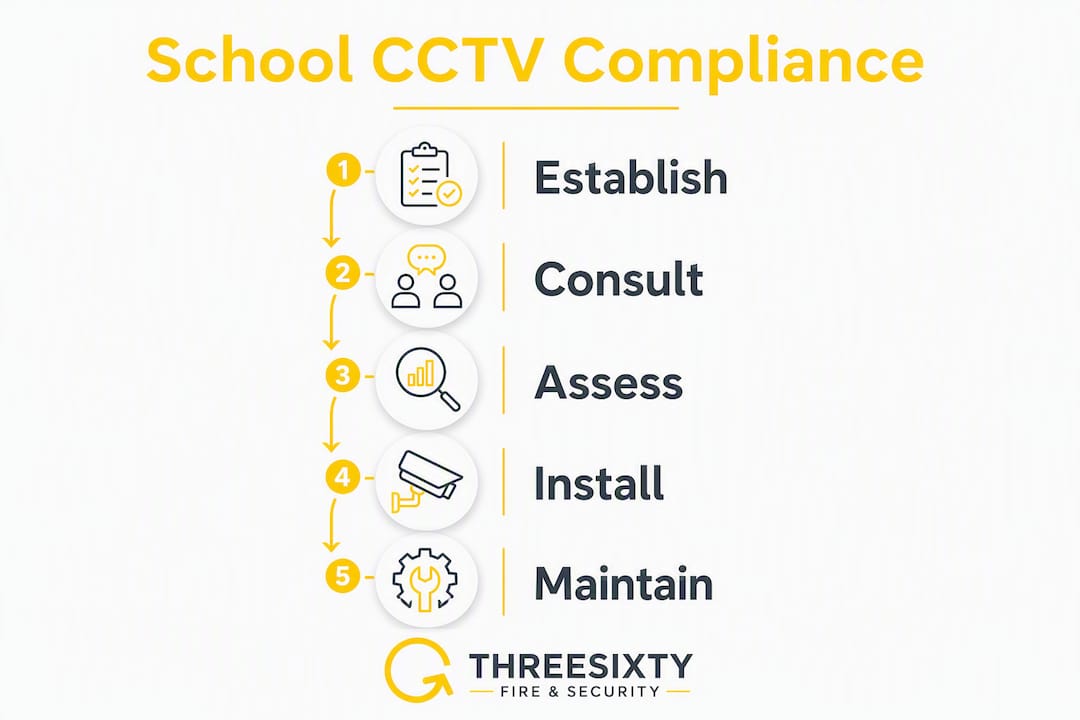
Consult before you install. Staff, unions, and parents should be engaged before cameras go up, not after.
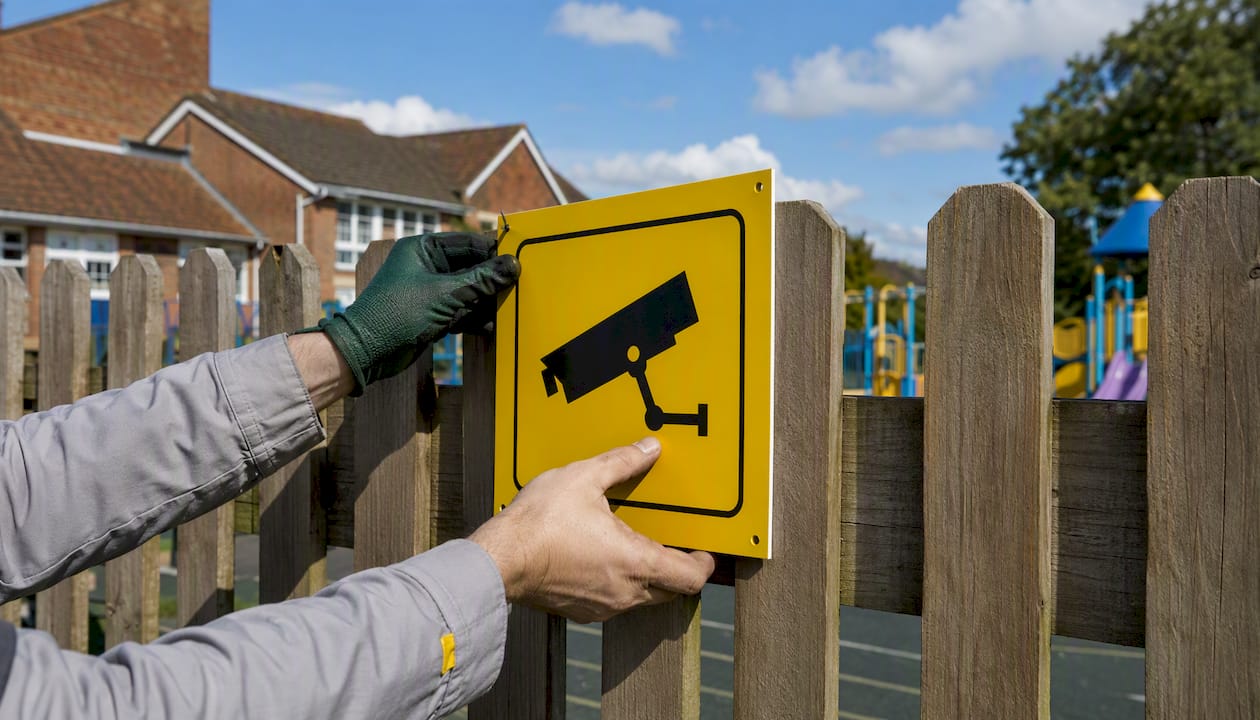
Publish your policy and signage. A written CCTV policy and clear signs at every camera location are legal requirements, not courtesies.
Limit retention and restrict access. Most schools use a 30-day default retention period; access should be role-based, logged, and reviewed regularly.
Threesixtyfireandsecurity works with schools across England on compliant CCTV design and installation, covering everything from the initial site survey through to maintenance contracts and staff training. The sections below walk through every legal, operational, and procurement decision you will need to make.
Table of Contents
What legal framework governs CCTV in schools?
The legal picture for school CCTV in England is layered, but the core obligations are clear once you know where to look.

UK GDPR and the Data Protection Act 2018 are the primary legislation. Images of identifiable individuals are personal data, so every time a school camera captures a recognisable face, data-protection law applies. That means you must have a lawful basis for processing, you must be transparent about it, you must not keep footage longer than necessary, and you must keep it secure. The DfE guidance makes this explicit: schools handling CCTV footage must apply the same data-protection principles they apply to any other personal data.
ICO guidance sits alongside the legislation and provides practical interpretation. The ICO’s position is that CCTV must be necessary, proportionate, and the least intrusive means of achieving the stated purpose. Schools that cannot demonstrate those three things are exposed to enforcement action — and the ICO has required schools to remove cameras placed in sensitive areas where monitoring was disproportionate.
DfE guidance (published on gov.uk) covers the specific school context: what lawful basis to choose, when a DPIA is needed, how to handle footage involving children, and what to include in a CCTV policy. It is the most directly applicable document for school leaders and should be the starting point for any policy review.
The Human Rights Act 1998 adds a further layer, particularly Article 8 (the right to respect for private and family life). Surveillance in schools engages Article 8 rights for pupils, staff, and visitors. That does not mean CCTV is prohibited — it means any interference with privacy must be proportionate to a legitimate aim and must go no further than necessary. Courts and regulators apply this test when assessing whether a school’s CCTV use is lawful.
Taken together, these instruments mean a school cannot simply install cameras because it feels like the right thing to do. Every camera needs a documented justification, a legal basis, and a governance framework around it.
Why consent is not the right lawful basis for school CCTV
Choosing the correct lawful basis is one of the most common stumbling blocks for school leaders, and the answer is almost always the same: do not rely on consent.
Why consent fails in practice. Consent under UK GDPR must be freely given, specific, informed, and unambiguous. In a school setting, consent from every pupil, parent, staff member, and visitor who passes a camera is practically impossible to obtain and maintain. More importantly, consent must be genuinely voluntary — and where there is a clear power imbalance (as there is between a school and its pupils), the ICO takes the view that consent is unlikely to be freely given. Schools that rely on consent also face the problem that any individual can withdraw it at any time, which would make routine surveillance unworkable.
The two appropriate bases for most schools:
Public task (Article 6(1)(e) UK GDPR). Maintained schools, academies, and free schools exercising statutory functions (safeguarding, maintaining order, protecting school property) can usually rely on public task. The processing must be necessary for the performance of that task, and the task itself must be set out in law or official authority.
Legitimate interests (Article 6(1)(f) UK GDPR). Independent schools and some academy trusts may rely on legitimate interests where public task does not apply. This requires a three-part test: identify a legitimate interest, show the processing is necessary, and balance it against the rights and freedoms of the individuals recorded. The balancing test must be documented.
How to choose and what to record:
Define the specific purpose (e.g., deterring theft, safeguarding pupils at entrances).
Identify whether the school exercises a statutory function that covers that purpose.
If yes, public task is likely the right basis; document the statutory source.
If no, carry out a legitimate interests assessment (LIA) and keep it on file.
Review the basis annually or whenever the purpose changes.
A sample one-line justification for a school CCTV policy might read: “CCTV is operated on the lawful basis of public task, as the school has a statutory duty to safeguard pupils and maintain a safe environment under [relevant statutory authority].” Adapt this to your school type and the specific statutory provisions that apply.
When do you need a DPIA, and what should it cover?
A DPIA is not optional when the processing is likely to result in a high risk to individuals. For school CCTV, that threshold is reached in several common scenarios.
When a DPIA is required:
Installing a new CCTV system or significantly expanding an existing one.
Adding cameras in areas with heightened privacy expectations (near changing rooms, medical rooms, or counselling spaces).
Enabling any analytics features, including motion detection linked to behaviour analysis, facial recognition, or automatic number plate recognition.
Changing the retention period, the access controls, or the hosting arrangement in a way that increases risk.
If you are unsure, the ICO’s screening questions are a useful starting point. When in doubt, carry out the DPIA — it protects the school and demonstrates accountability.
Proportionality criteria to document:
Before concluding a DPIA, you must show that CCTV is the least intrusive means of achieving the stated purpose. That means documenting alternatives you considered (increased staff supervision, improved lighting, physical barriers) and explaining why they were insufficient. A DPIA that simply asserts CCTV is necessary without considering alternatives will not satisfy the ICO.
What a school DPIA should include:
A description of the processing: which cameras, what areas, what data is captured, who can access it.
The purpose and lawful basis.
An assessment of necessity and proportionality.
Identification of risks to individuals (pupils, staff, visitors).
Measures to mitigate those risks (technical controls, retention limits, access restrictions).
Consultation record: who was consulted, what they said, how concerns were addressed.
Sign-off by the Data Protection Officer (DPO) or equivalent.
A review date (annually, or sooner if the system changes).
Alongside the DPIA, maintain a Record of Processing Activities (RoPA). This is a legal requirement for most schools and should include a row for CCTV that captures the purpose, lawful basis, data categories, retention period, and security measures.
How to handle transparency, signage, and staff consultation
Transparency is not just a legal obligation — it is the most effective way to prevent complaints before they start. Schools that consult parents and staff before installing CCTV report fewer objections and a clearer shared understanding of why the system is in place.
Who to consult and when:
Staff and trade unions. Consult before any decision is made, not after. The National Education Union publishes a model CCTV policy and checklist specifically to help staff representatives negotiate policies that protect employee privacy. Union input should be recorded in writing and reflected in the final policy.
Parents and carers. Notify them through the school’s usual communication channels (newsletter, website, parent meetings) before installation. Explain the purpose, the areas covered, and the retention period.
Pupils. Age-appropriate explanation is good practice, particularly for secondary-age pupils. Where pupils are mature enough to understand, their views should be considered.
Governors. The governing body should formally approve the CCTV policy and any significant changes to the system.
What your CCTV policy must include:
The purpose of the CCTV system and the lawful basis.
A description of the areas covered (without a detailed map that could assist intruders).
The retention period and deletion process.
Who can access footage and under what circumstances.
How individuals can exercise their rights (subject access requests, complaints).
The name and contact details of the Data Protection Officer.
The date of the last review and the next scheduled review.
Signage requirements. Every camera location must be clearly signed. Signs should be visible before a person enters the monitored area, not after. Effective signage includes: the name of the organisation operating the system, the purpose of the CCTV, and contact details for enquiries. A concise example: “CCTV is in operation at this school for the purposes of safeguarding and security. Operated by [School Name]. For enquiries, contact [DPO contact].”
Privacy notice. The school’s main privacy notice (published on its website) must include a section on CCTV processing. This should mirror the policy content but be written in plain language accessible to parents and pupils.
Retention rules, secure storage, and who can access footage
Data-protection law does not set a fixed retention period for CCTV footage. It sets a principle: keep it no longer than necessary for the purpose for which it was collected. In practice, most schools adopt a 30-day default, which is widely used across public-sector organisations and is generally considered proportionate for routine security monitoring.
When to retain footage beyond 30 days:
A safeguarding concern has been identified and footage may be relevant evidence.
An incident is under investigation (disciplinary, criminal, or insurance-related).
A subject access request has been received that covers the footage.
Legal proceedings are anticipated or ongoing.
Any exception to the default retention period must be documented: record why the footage is being retained, who authorised the decision, and when it will be reviewed or deleted.
Retention schedule (example):
Footage type | Default retention | Exception trigger | Maximum retention |
Routine corridor/entrance footage | 30 days | None | 30 days |
Footage linked to a safeguarding concern | 30 days | Safeguarding referral made | Duration of investigation + 6 months |
Footage linked to a criminal investigation | 30 days | Police request or legal hold | As directed by police/legal advice |
Footage subject to a SAR | 30 days | SAR received | Until SAR response is complete |
Technical and organisational security controls:
Footage must be stored on a system with role-based access controls — not a shared network drive accessible to all staff.
Storage should be encrypted, whether on-premise or cloud-hosted.
Audit logs must record every access event: who viewed footage, when, and for what stated purpose.
Access rights must be reviewed whenever a member of staff changes role or leaves the school.
The DfE guidance is explicit: only authorised staff should access footage, and audit logs and access reviews are required. This is not a recommendation — it is a compliance requirement.
Access control checklist:
Name the specific roles authorised to view footage (e.g., headteacher, designated safeguarding lead, site manager for technical faults only).
Require written authorisation for any access outside routine monitoring.
Log every access event in a dedicated register.
Conduct a formal access review at least annually and after every staff change affecting authorised roles.
Train all authorised staff on lawful use before granting access.
Where should you not place cameras?
Some locations are effectively off-limits for CCTV, and placing cameras there without exceptional justification exposes the school to enforcement action from the ICO.
Areas that must not be monitored:
Toilets and washrooms.
Changing rooms and shower areas.
Medical rooms and counselling spaces.
Any area where individuals have a reasonable expectation of complete privacy.
The ICO has required schools to remove cameras from sensitive areas where monitoring was found to be disproportionate. The Human Rights Act Article 8 right to private life is at its strongest in these spaces, and no routine security purpose will justify surveillance there.
Exceptional circumstances. There are narrow scenarios where limited monitoring of a normally private area might be considered — for example, a persistent and serious safeguarding concern in a specific location where all other measures have failed. Even then, the bar is very high:
A full DPIA must be completed and approved by the DPO.
The governing body must formally authorise the measure.
Retention must be strictly limited (often shorter than the standard 30 days).
Access must be restricted to the minimum number of named individuals.
The measure must be reviewed and removed as soon as the specific risk has passed.
Classroom cameras. Routine recording of lessons is generally discouraged by both the DfE and the ICO. The presence of always-on cameras in classrooms raises significant privacy concerns for pupils and staff, and the evidential or safeguarding benefit rarely justifies the intrusion. Some schools have trialled always-on classroom cameras, and those projects illustrate both the pedagogical arguments and the substantial privacy and contractual risks that follow — demanding careful DPIAs and thorough staff engagement before any such system goes live.
Where classroom monitoring is genuinely considered (for example, teacher-led professional development with full staff consent and a time-limited scope), the following safeguards are the minimum:
A specific, documented purpose that cannot be achieved any other way.
Full, freely given consent from the staff member involved (not the general consent-is-unsuitable rule — this is a specific, voluntary professional development context).
Footage deleted immediately after the specific purpose is served.
No routine or continuous recording.
Policy dos and don’ts for sensitive locations:
Do list prohibited areas explicitly in the CCTV policy.
Do require governing body approval for any exception.
Don’t install cameras facing into toilets or changing rooms even if the camera is positioned in a corridor — angle and field of view matter.
Don’t assume that a camera installed for an external purpose (e.g., a perimeter camera) is acceptable if its field of view captures a sensitive area.
How to handle subject access requests, police requests, and incident footage
When someone asks to see footage of themselves, or the police request footage for an investigation, the school needs a clear, documented process. Improvising under pressure is how schools make costly mistakes.
Subject access requests (SARs)
Acknowledge promptly. A SAR must be responded to within one calendar month of receipt. The clock starts on the day the request is received, not the day it is processed.
Identify the footage. Search the system for footage of the requester within the requested timeframe. If the footage has already been deleted under the retention policy, confirm this in writing.
Check for third-party data. Footage almost always captures other individuals. You are not required to provide footage that would disclose another person’s personal data without their consent — redact or withhold those portions.
Provide the footage securely. Use an encrypted medium or a secure download link. Never email unencrypted footage.
Log the request and response. Record the date received, the date responded, what was provided, and what was withheld with reasons.
Police requests
Require a written request. Verbal requests should be followed up in writing before any footage is disclosed.
Check the legal basis for disclosure. The police may request footage under a court order, a production order, or by voluntary disclosure. Each has different implications — take DPO advice if unsure.
Log every disclosure. Record the officer’s name and badge number, the legal basis cited, the footage provided, and the date.
Do not delete footage subject to a police request. Once a request is received, the footage must be preserved regardless of the standard retention period.
Evidence preservation checklist
Identify the relevant footage immediately and flag it in the system as subject to a legal hold.
Create a secure copy on an encrypted medium separate from the live system.
Record the chain of custody: who copied it, when, and where the copy is stored.
Restrict access to the copy to named individuals only.
Do not alter, compress, or re-encode the footage — courts require original-quality files.
Confirm in writing to the requesting party that footage has been preserved and when it will be available.
Training. Every member of staff who might receive a SAR or a police request needs to know the process and who to escalate to. The DPO should lead annual training for all authorised staff, covering lawful access, logging requirements, and the consequences of unauthorised disclosure.
What to require from vendors and installation contracts
Procurement is where many schools create compliance problems they spend years trying to fix. A weak contract with a vendor who stores footage on servers outside the UK, patches firmware irregularly, or has no breach notification process is a liability — not a security asset.
Pre-procurement steps:
Define your objectives in writing before approaching any vendor: which areas need coverage, what resolution is required for evidential use, what analytics (if any) are needed, and what your budget envelope is.
Complete the DPIA before finalising the specification — the DPIA may change what you buy.
Include a technical security baseline in the tender specification: encryption standards, access control requirements, audit logging, and update obligations.
Contractual requirements — non-negotiable items:
Data processing agreement (DPA). If the vendor processes personal data on the school’s behalf (e.g., cloud storage, remote monitoring), a written DPA is legally required under UK GDPR Article 28.
Hosting location. Footage must be hosted in the UK or in a country with an adequacy decision. Require the vendor to confirm this in writing and to notify you of any change.
Encryption. Specify minimum encryption standards for data in transit and at rest.
Patching and updates. Require the vendor to apply security patches within a defined timeframe (e.g., critical patches within 72 hours of release).
Breach notification. The vendor must notify the school within 24 hours of discovering a breach affecting school data — the school then has 72 hours to notify the ICO if required.
Access rights and audit rights. The school must be able to audit the vendor’s compliance with the DPA on reasonable notice.
Vendor due diligence checklist:
Request evidence of UK GDPR compliance (privacy policy, DPA template, data flow documentation).
Ask where footage is hosted and who has access to it.
Confirm staff vetting procedures for engineers who attend site.
Check service level agreements: response times for faults, planned maintenance windows, and escalation paths.
Ask for references from other schools or public-sector clients.
Schools should require written data-processing terms, details of where footage is hosted, and evidence of secure hosting and maintenance processes from every vendor — not just the preferred bidder.
Maintenance contract items:
Scheduled preventive maintenance visits (at minimum annually, ideally twice yearly).
Response time SLAs for system failures (e.g., critical failure response within four hours).
Firmware and software update schedule.
Annual configuration audit to confirm camera angles, retention settings, and access controls remain as specified.
Clear process for decommissioning cameras and securely deleting footage at end of contract.
Operational and technical best practice for camera placement
Good camera placement is a balance between coverage that serves the stated purpose and minimising incidental capture of people in areas where they have a reasonable expectation of privacy.
Placement principles:
Focus cameras on clearly justified areas: main entrances and exits, external perimeters, car parks, and areas with a documented history of incidents.
Position cameras to capture faces at entrances (for identification purposes) rather than pointing along corridors where the field of view sweeps through many incidental spaces.
Avoid angles that capture neighbouring properties, public pavements beyond the school boundary, or areas outside the school’s control.
Review camera angles after installation to confirm they match the approved DPIA scope — a camera that drifts slightly can inadvertently capture a sensitive area.
Image quality and storage trade-offs:
For evidential use (identifying individuals involved in incidents), a minimum of 1080p resolution at the point of capture is generally recommended by security professionals.
Higher frame rates improve evidential quality but increase storage requirements significantly. A pragmatic approach is to use higher frame rates at key entry points and lower rates on perimeter cameras where movement detection is the primary purpose.
Consider the storage implications before specifying resolution: a system that fills its storage in 10 days rather than 30 will either require expensive additional storage or force premature deletion.
Privacy-by-design controls:
Use camera masking to block out areas outside the school boundary or areas with heightened privacy expectations.
Disable audio recording by default. Audio recording raises additional legal considerations and is rarely justified for school security purposes.
Disable facial recognition and biometric analytics features by default. The DfE guidance is clear that cameras must not use live facial recognition, and biometric analytics should be switched off because biometric data carries high risk under data-protection law.
Configure automatic deletion at the end of the retention period rather than relying on manual deletion.
Pro Tip: After installation and after every firmware upgrade, run a configuration check: confirm camera angles against the approved DPIA, verify retention settings are still active, test that audit logging is recording access events, and confirm facial recognition and audio features remain disabled. A firmware update can silently re-enable default features that the school has deliberately turned off.
Typical cost factors and a realistic procurement timeline
School CCTV budgets vary enormously depending on site size, existing infrastructure, and the level of analytics required. The figures below are indicative ranges based on typical market conditions in England; always obtain at least three competitive quotes and include contingency.
Main cost drivers:
Number and type of cameras (fixed vs. PTZ, indoor vs. outdoor, resolution).
Cabling and network infrastructure (new cable runs are the largest variable cost on older sites).
Storage: on-premise NVR/DVR vs. cloud-hosted (cloud typically has lower upfront cost but ongoing subscription fees).
Analytics and software licences (motion detection, integration with access control).
Installation labour and commissioning.
Ongoing maintenance contract.
Staff training.
Indicative budget ranges:
School size | Approximate camera count | Indicative installed cost range | Annual maintenance range |
Small primary | 8 cameras | — | — |
Medium primary/secondary | 16 cameras | — | — |
Large secondary/academy | 40 cameras | — | — |
These ranges are indicative only. Actual costs depend on site-specific factors, existing infrastructure, and specification. Always obtain competitive quotes.
Procurement timeline:
Stage | Key activities | Approximate duration |
Needs assessment and objectives | Define purpose, consult stakeholders, agree scope | 2–4 weeks |
DPIA | Complete and sign off DPIA; record in RoPA | 2–4 weeks (can run in parallel) |
Specification and tendering | Write specification, issue to vendors, evaluate responses | 4–8 weeks |
Contract award and mobilisation | Agree DPA, finalise contract, schedule installation | 2–3 weeks |
Installation and commissioning | Cable runs, camera installation, system configuration | 1–4 weeks (site-dependent) |
Testing and sign-off | Verify angles, retention settings, access controls, audit logging | 1 week |
Staff training | Train authorised staff on access, logging, and SAR procedures | 1–2 days |
Total | 12 weeks |
Budgeting advice. Build in a contingency of at least 15% for cabling surprises on older buildings. Include lifecycle replacement costs in your financial planning — cameras and recording systems typically have a useful life of 7–10 years. If budget is constrained, prioritise main entrances, perimeter gates, and any areas with a documented incident history before internal corridors.
Copy-ready checklists and template content for your policy documents
The following material is designed to be copied directly into your school’s CCTV policy, DPIA, and signage. Adapt names, dates, and specific statutory references to your school’s context.
CCTV policy: recommended headings and brief content notes:
Purpose and scope. State why CCTV is used, which areas are covered, and which are explicitly excluded. Name the lawful basis.
Legal basis. Cite the specific UK GDPR article and, for maintained schools, the statutory function that supports it.
Governance and responsibility. Name the role responsible for the system (usually the headteacher or a named governor), the DPO, and the authorised operators.
Camera locations. List covered areas in general terms (e.g., “main entrance, car park, external perimeter”) without a detailed map.
Retention and deletion. State the default retention period (e.g., 30 days) and the process for exceptions.
Access controls. List authorised roles, the authorisation process for access, and the audit log requirement.
Subject access requests. Explain how individuals can request footage and the school’s response process.
Sharing with third parties. Cover police requests, legal proceedings, and any other disclosure scenarios.
Review date. State when the policy was last reviewed and when it will next be reviewed (at least annually).
Compact DPIA checklist:
[ ] Purpose of processing clearly defined and documented.
[ ] Lawful basis identified and recorded.
[ ] Necessity and proportionality assessed; alternatives considered and documented.
[ ] Risks to individuals identified (pupils, staff, visitors).
[ ] Technical and organisational measures to mitigate risks listed.
[ ] Stakeholders consulted; responses recorded.
[ ] DPO sign-off obtained.
[ ] Review date set.
[ ] Entry added to the RoPA.
Signage wording example:
Privacy notice copy (for school website):
Template management tips. Save all policy documents in a central, version-controlled location (e.g., a governors’ shared drive). Include the version number and review date in the document footer. Set a calendar reminder for the annual review — policies that are never updated are a compliance risk in themselves.
How Threesixtyfireandsecurity implements compliant CCTV for schools
The following example illustrates how a typical school CCTV project is approached when compliance and operational effectiveness are both priorities.
Scenario. A medium-sized secondary school in England approached Threesixtyfireandsecurity after a series of perimeter incidents and a failed Ofsted safeguarding comment about the absence of external monitoring. The school had no existing CCTV system, no CCTV policy, and no DPO-reviewed DPIA.
Project milestones:
Site survey (week 1–2). Threesixtyfireandsecurity conducted a full site survey, mapping all entrances, perimeter boundaries, car parks, and internal high-risk areas. The survey output included a draft camera schedule and a preliminary coverage map for the DPO to review against the DPIA scope.
DPIA support (weeks 2–4). The school’s DPO led the DPIA, with Threesixtyfireandsecurity providing technical input on camera specifications, storage arrangements, and access controls. Facial recognition features were confirmed as disabled by default in the specification.
Staff and governor consultation (weeks 3–5). The headteacher presented the proposed system to staff, the NEU representative, and the governing body. The CCTV policy draft was circulated for comment. Two camera positions were adjusted following staff feedback about angles near a staff welfare room.
Procurement and contract (weeks 5–7). The school issued a specification to three vendors. Threesixtyfireandsecurity’s proposal included a full data-processing agreement, UK-hosted cloud storage, and a maintenance SLA with a four-hour critical response time.
Installation and commissioning (weeks 8–10). Cameras were installed at main entrances, the car park, and external perimeter gates. Internal cameras were limited to the reception area and main corridor junctions. All camera angles were verified against the approved DPIA scope before sign-off.
Staff training (week 11). Authorised staff received two hours of training covering lawful access, the audit log process, SAR procedures, and the school’s obligations when receiving police requests.
Threesixtyfireandsecurity provides CCTV design, installation, and maintenance services specifically for schools and other educational settings across England, with data-processing terms included as standard in every contract.
Key takeaways
A compliant school CCTV system requires a documented lawful basis, a completed DPIA, meaningful stakeholder consultation, a published policy, strict retention limits, and a vendor contract that includes a data-processing agreement and UK-hosted storage.
Point | Details |
Lawful basis first | Identify public task or legitimate interests before installation; consent is unsuitable for routine school CCTV. |
DPIA is often mandatory | Any new system, significant change, or use of analytics requires a completed DPIA signed off by the DPO. |
30-day retention benchmark | Use 30 days as the default; document every exception with a named authoriser and a review date. |
Signage and policy are legal requirements | Every camera location needs a sign; a written CCTV policy must be published and reviewed annually. |
Threesixtyfireandsecurity | Provides design, installation, maintenance, and data-processing agreements for school CCTV systems across England. |
The surveillance trap schools keep falling into
The most common mistake is not installing too few cameras. It is installing too many, too quickly, without the governance to back them up.
Schools under pressure after an incident often respond by expanding coverage rapidly — adding cameras to corridors, stairwells, and occasionally spaces that should never be monitored. The result is a system that is technically operational but legally fragile: no updated DPIA, no policy that reflects the new cameras, access controls that were never reviewed after the original installer left.
The ICO’s enforcement record shows that disproportionate monitoring is a real risk, not a theoretical one. A camera in the wrong place, or footage retained beyond its justified period, can trigger a formal investigation that costs the school far more in time and reputational damage than the original incident ever would have.
The other trap is vendor dependency. Schools that sign contracts without data-processing agreements, without confirming where footage is hosted, and without maintenance SLAs find themselves locked into arrangements they cannot audit or exit cleanly. Weak vendor controls are a frequent cause of data breaches — and the school, as the data controller, bears the legal responsibility.
The answer is not to avoid CCTV. It is to treat the governance as seriously as the hardware. A well-designed system with a robust policy, a current DPIA, trained staff, and a competent supplier is genuinely effective. The schools that get this right are the ones that did the compliance work before the cameras went up, not after.
Threesixtyfireandsecurity: school CCTV done properly from day one
School CCTV projects that start without a clear specification and a compliant vendor contract tend to create problems that outlast the installation. Threesixtyfireandsecurity designs and installs school security camera systems with data-protection compliance built in from the first site survey: UK-hosted storage, data-processing agreements as standard, facial recognition disabled by default, and maintenance contracts that include annual configuration audits.
Beyond CCTV, the same team covers access control, intruder alarms, and fire alarm systems — so schools working towards a joined-up security plan can work with a single supplier who understands the full picture. Every project includes staff training on lawful access and SAR procedures, so the system stays compliant as staff and circumstances change.
To get started, request a site survey from Threesixtyfireandsecurity. The survey is the foundation for your DPIA scope, your camera schedule, and your procurement specification — and it costs nothing to find out what a compliant system for your school actually looks like.
Authoritative sources and further reading
Every school leader responsible for CCTV should have these documents to hand. They are the primary references for any policy, DPIA, or procurement decision.
Data Protection Act 2018 (legislation.gov.uk) — The primary UK legislation that incorporates UK GDPR into domestic law. Essential for understanding the legal obligations that underpin every CCTV decision.
Schools Week: How to protect pupils’ privacy around CCTV use — A useful legal commentary piece covering transparency, vendor due diligence, and the importance of early consultation. Good background reading for governors and senior leaders.
This article provides general information about CCTV compliance for schools in England. It is not legal advice. Confirm current requirements with the ICO, the DfE, or a qualified data-protection professional before making procurement or policy decisions.
Recommended
Comments